
What is the Scheduler in zapAnalytics?
The scheduler enables zapAnalytics to run data extraction and processing on a regular basis. Instead of having to start each extraction manually using the web interface, once the user sets up the scheduler, the process will run automatically at certain times (e.g. every first day of the month).
When using the scheduler, the customer retains full control over when recurring data extraction and processing take place. The customer can decide if, when and how to use the scheduler. Neither zapAnalytics nor any other solution component autonomously initiates an extraction outside the customer-defined schedule.
For more information on customer-controlled SAP extraction and its technical separation from subsequent data processing, see SAP Governance Data Extraction with zapliance.
Create a Schedule
-
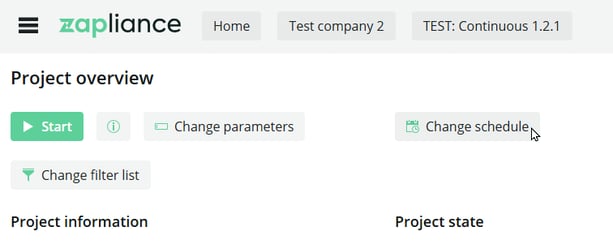
Open your project and click “Change schedule”.
-
You can use one of the presets by clicking on it (e.g. First day of month).
-
Click “Save” to activate the schedule.
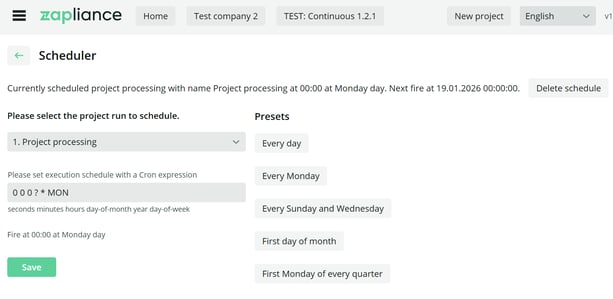
The text at the top of the page will show the next time an automated data processing is planned.
Change or Delete an Active Schedule
- Open your project and click “Change schedule” again.
-
To adapt the schedule, choose another preset and click “Save” again.
- To cancel the schedule, click "Delete schedule" above the presets.
Custom Schedules
If you want to create a custom schedule other than the presets by using a so-called cron expression, contact us for more information and assistance at support@zapliance.com.