Log files provide a traceable record of data extraction, processing, and result generation in zapAnalytics. They support operational monitoring, troubleshooting, and governance reviews by documenting how a project was executed (including user-initiated SAP data extraction) and whether it completed successfully.
Depending on the log type and project configuration, log files provide information about the initiation and execution of a project, including start and completion, processed packages, errors, retries, and result status. For scheduled projects, the schedule represents the customer’s prior authorization of the recurring execution.
There are two main types of log files that users can download:
- Project log files: Project log files provide an overview of data extraction, processing, and result generation for a project. They support routine monitoring by documenting the project’s execution progress, status, and any reported errors.
- Detailed log files: Detailed log files provide additional technical information about project execution and are intended for in-depth troubleshooting. Your Customer Success Manager will let you know if and when it is necessary to create and download these files.
Download project logs
-
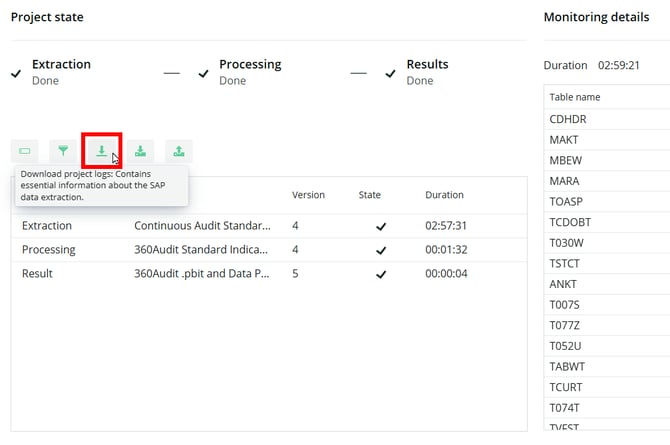
To download project log files, open the project in zapAnalytics and click on the button highlighted in the screenshot below.
-
Hovering over the button will display a pop-up reading "Download project logs".
-
Use this option to obtain a summary log of the data extraction and processing activities for your project.
Download detailed logs
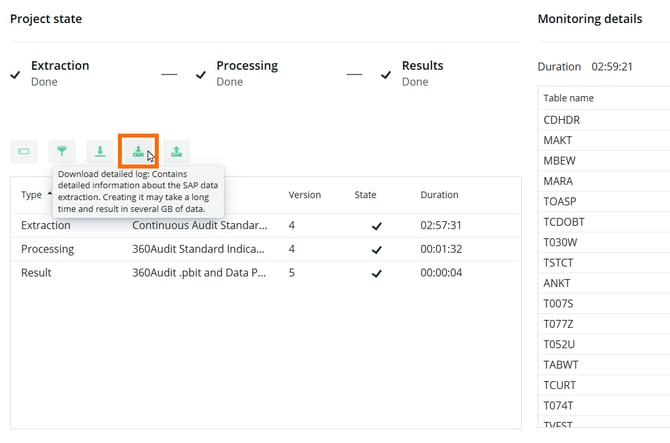
To download detailed log files, open the project in zapAnalytics and click on the button highlighted in the screenshot below.
Hovering over the button will display a pop-up reading "Download detailed log".
Please use this option only when instructed by your Customer Success Manager. Creating and downloading detailed log files may take a considerable amount of time and can result in files that are several gigabytes in size.